


12 Mobile App Development Trends Shaping 2026 and Beyond
- Home
- /
- Blog
- /
- mobile app development trends...
- /
- app development trends
- /
- 12 Mobile App Development...
A mobile app may be the part of a digital product users see first, but much of the real work happens behind the screen. Modern apps often depend on cloud infrastructure, APIs, identity systems, analytics, payment services, AI models, connected devices, and administrative platforms. A simple interface decision can therefore affect security, performance, data flow, compliance, and long-term maintainability.
For businesses evaluating mobile app development services, this matters. The strongest products are not built by chasing every new technology trend. They are built by choosing the right technologies for the user journey, business model, platform strategy, and wider software system.
The trends covered here reflect current guidance from Apple and Google, recognized mobile-security standards, evolving accessibility expectations, and Red Apple Technologies published work on the Zippy connected-fitness application. The focus is on developments already influencing product decisions, not distant predictions presented as certainty.
AI is becoming more useful inside everyday product workflows. Android is moving toward adaptive-first development across larger screens and new form factors. Passkeys are improving authentication. Accessibility and privacy are receiving attention much earlier in the product lifecycle. At the same time, businesses are becoming more careful about how they choose a mobile app development company, because the wrong architecture or delivery approach can make app modernization expensive later.
Each trend brings trade-offs. The right choice depends on the user, the data involved, the operating environment, and the systems supporting the app.
Mobile App Development Trends at a Glance
| Trend | Where it can create value | What requires careful planning |
|---|---|---|
| AI-native functionality | Search, recommendations, automation, assistance | Accuracy, permissions, evaluation, oversight |
| On-device AI | Faster and more private processing | Hardware support, model limits, fallback behavior |
| Multimodal interfaces | Voice, image, camera, and text interactions | Accessibility, privacy, fallback routes |
| Cross-platform engineering | Shared development across iOS and Android | Native integrations, testing, maintenance |
| Adaptive design | Better experiences on tablets, foldables, desktops | Broader design and QA coverage |
| Privacy-first architecture | Greater trust and lower data risk | Data mapping, consent, retention |
| Passkeys | Faster, phishing-resistant authentication | Recovery, migration, device coverage |
| Accessibility-by-design | Wider usability and better product quality | Manual testing, inclusive design |
| IoT and wearable integration | Live data and connected-product control | Connectivity, security, synchronization |
| AR and spatial features | Product visualization, guidance, training | Device support and practical value |
| Progressive web apps | Browser reach and lower installation friction | Platform and hardware limitations |
| Continuous optimization | Better reliability after launch | Observability, testing, maintenance |
1. AI Is Moving Into the Main Product Experience
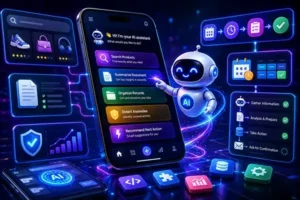
The most useful AI features usually appear inside a familiar task.
A customer may use natural-language search to find a product. A business app might summarize a document, organize records, or identify unusual activity. A service platform could prepare a response, recommend the next action, or automate a multi-step workflow. These features feel less like separate AI tools and more like improvements to the product itself.
Agentic functionality takes the idea further. An agent can prepare or carry out a series of connected steps rather than returning a single answer. A scheduling tool, for example, could compare calendars, find an available time, prepare the appointment, and ask for confirmation before anything is booked.
Apple’s current developer guidance says App Intents can connect app content and actions to Apple Intelligence and Siri, while the Foundation Models framework gives developers access to Apple Foundation Models on device and in Private Cloud Compute, along with compatible model providers.
The product team still has to define firm boundaries. An AI assistant that recommends content carries a relatively limited risk. An agent that changes account information, publishes material, or initiates a transaction needs tighter permissions, confirmation steps, logging, monitoring, and recovery options.
AI adds value when it reduces real effort. A generic chat box placed inside an app rarely achieves that on its own.
2. More Intelligence Is Running on the Device

On-device AI allows selected information to be processed directly on a phone, tablet, or wearable. That can shorten response times, support some offline functionality, and reduce the amount of sensitive information sent to external servers.
Tasks such as image analysis, speech processing, text classification, and contextual suggestions may be suitable for local models when device support is available. Apple’s Foundation Models documentation describes access to large language models, including on-device and Private Cloud Compute models designed for Apple Intelligence.
Cloud infrastructure remains important. Larger models, current external information, complex reasoning, and centralized business rules often exceed what a mobile device can handle efficiently. Many products will divide the workload:
- Immediate or privacy-sensitive tasks run locally.
- More demanding requests use cloud infrastructure.
- Backend systems validate critical business actions.
- Unsupported devices receive a workable alternative.
This is where custom mobile app development decisions become important. A product team should decide feature by feature whether AI belongs on the device, in the cloud, or across both. That choice affects latency, privacy, operating cost, battery use, device coverage, and support requirements.
3. Multimodal Interfaces Are Becoming More Practical
Some tasks are difficult to describe through text alone. A shopper may prefer to upload a photograph. A field technician might point a camera at a damaged component. A user with limited mobility may find voice input easier than navigating a detailed form.
Multimodal interfaces combine formats such as speech, text, images, video, camera input, and touch. Their value comes from giving users an interaction method suited to the task.
Consider an equipment-maintenance app. The camera can capture the machine, the system can identify a visible component, and the interface can display or read out the relevant instructions. In retail, a photograph can become the starting point for a product search. In healthcare or fitness, multimodal input can help users record activity, symptoms, or progress with less manual effort.
The conventional interface still matters.
Voice input may be unsuitable in a public setting. Camera access might be unavailable. Image recognition can produce the wrong result. Users need another route when the preferred input method fails.
Privacy information should also be easy to understand. The app needs to explain when an image, voice recording, or video is processed locally, uploaded, retained, or shared with an external provider.
4. Cross-Platform Engineering Is Becoming More Selective
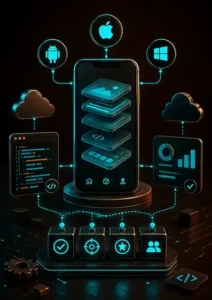
Cross-platform app development continues to attract businesses that need iOS and Android products with a shared roadmap.
Flutter, React Native, and Kotlin Multiplatform can reduce duplicated engineering. Depending on the chosen approach, teams may share business logic, networking, data models, analytics, and parts of the interface.
Google states that Kotlin Multiplatform is officially supported for sharing business logic between Android and iOS. It also notes that teams can choose what to share, from business logic to broader application layers.
The strongest gains appear when the two platforms serve essentially the same workflow.
A product that depends heavily on native device functions may benefit less. The same applies when maximum platform-specific performance is critical or when the iOS and Android experiences need to differ substantially.
A sound framework decision considers:
- The proportion of code that can realistically be shared
- Required native APIs and hardware features
- The team’s technical experience
- Testing across both operating systems
- Upgrade and dependency risks
- Long-term ownership of the codebase
A mobile app development company should evaluate cross-platform engineering based on what can realistically be shared, not only on the promise of faster delivery. Cross-platform development can improve efficiency, but it does not remove the need to understand how people expect an app to behave on each platform.
5. Adaptive Design Is Becoming a Commercial Requirement

Android applications now appear across phones, tablets, foldables, desktop windows, connected displays, cars, televisions, and XR devices.
Google says more than 580 million large-screen Android devices are already in users’ hands. Android 17, also known as API level 37, removes the developer opt-out from orientation and resizability restrictions on qualifying large-screen devices.
That planning window matters. Google’s Android Developers Blog states that, for Google Play, new apps and updates will be required to target API level 37 in August 2027, making the Android 17 adaptive behavior mandatory for distribution at that point.
A wider device range changes the design problem.
A tablet can display a list and a detail view together. A foldable may reorganize the interface when the device opens. A resizable desktop window needs to remain usable at several dimensions. Keyboard, mouse, stylus, and touch may all play a role.
Adaptive design addresses navigation, content hierarchy, controls, and input, not merely the size of visual elements. Businesses do not need to optimize equally for every possible device. Audience research and product analytics should determine the priority. The design system should still be flexible enough to expand without a full rebuild.
This is especially important for app modernization projects. Older mobile apps often assume a narrow phone-only experience. Modernizing them may require new layout rules, redesigned navigation, updated component systems, and broader QA coverage across devices.
6. Privacy and Security Are Product Architecture Decisions

Mobile products commonly exchange data with identity platforms, analytics services, payment providers, AI systems, cloud infrastructure, and third-party APIs. Each connection expands the security and privacy surface.
The OWASP Mobile Application Security Verification Standard is an established framework for mobile application security and privacy. It covers areas such as storage, cryptography, authentication and authorization, network communication, platform interaction, code quality, resilience, and privacy.
A secure mobile product may require:
- Protected authentication and session management
- Encryption during transmission and storage
- Safe handling of secrets and encryption keys
- Carefully scoped permissions
- Secure APIs
- Dependency and software-supply-chain checks
- Threat modeling
- Defined data-retention and deletion rules
- Monitoring after release
Privacy work begins with understanding the data. The team should know what the app collects, why it is needed, where it travels, which third parties can access it, and how long it remains available.
Apple’s App Store privacy details guidance requires developers to disclose data collection practices, including relevant data collected through third-party code included in the app. Google Play’s User Data policy requires apps that allow account creation to provide a clear option to initiate account deletion from within the app and outside the app, including an accessible external web resource.
These requirements affect interface design, backend architecture, customer support, and legal documentation. Addressing them during development is far more efficient than discovering them during store submission.
For a custom software development company, security and privacy cannot be treated as final QA tasks. They need to be part of the architecture, user journey, and maintenance plan.
7. Passkeys Are Improving Authentication

Passwords create friction during account creation, everyday sign-in, and account recovery.
Passkeys use public-key cryptography and the security already available on the user’s device. A fingerprint, face scan, PIN, or pattern can replace the need to remember and enter a password.
The user-experience improvements can be significant. Android Developers published a case study stating that X doubled its successful login rate after adopting passkeys and saw fewer password-reset requests among participating users.
Migration still requires careful planning.
Users may own several devices. Some will continue to prefer passwords. Account recovery needs to remain secure and understandable. Credential providers can also behave differently across operating systems.
A gradual rollout is often easier to manage. Passkeys can first appear as an additional sign-in option, followed by well-timed prompts for eligible users. For businesses planning custom mobile app development, passkeys should be considered early when the product involves accounts, sensitive data, payments, or repeat logins.
8. Accessibility Is a Measure of Product Quality
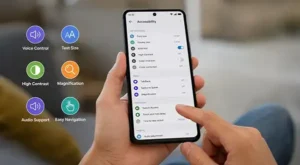
Accessibility influences typography, color contrast, navigation, focus order, labels, captions, motion, touch targets, and input methods.
These decisions support people with permanent disabilities, while also helping users dealing with temporary injury, glare, background noise, fatigue, or limited mobility. Accessibility is not only a compliance concern; it often improves the everyday product experience for a much wider group of users.
Accessibility also has regulatory relevance. The European Accessibility Act began applying to covered products and services on June 28, 2025. The exact obligations depend on the product, service, market, and applicable exemptions.
Automated scans can identify missing labels or contrast problems. They cannot confirm that an entire journey makes sense with a screen reader, voice control, keyboard, or switch input.
Manual testing remains essential, ideally with feedback from people who use assistive technologies. Building accessibility into the design system and acceptance criteria also reduces the cost of fixing problems later.
A responsible app development company should treat accessibility as part of product quality, not as a late-stage compliance patch.
9. Mobile Apps Are Central to Connected Products
For many connected products, the mobile app becomes the primary control and information layer.
It may configure hardware, display live information, send alerts, manage users, adjust settings, or review activity over time. The supporting system also has to handle device identity, permissions, synchronization, firmware, connectivity, and cloud communication.
Red Apple Technologies Zippy case study provides a relevant example. The project connects Android and iOS app experiences with treadmill activity, real-time speed data, virtual running tracks, selectable avatars, and bot-based races.
Zippy illustrates the wider engineering challenge behind a connected app.
The experience still needs to make sense when the hardware disconnects, data arrives late, or the network becomes unstable. Users should understand whether the displayed information is current, what remains available offline, and how to recover from a failed connection.
Those edge cases often determine whether a connected product feels dependable. For IoT-led app development solutions, the mobile interface is only one part of the system. The backend, device layer, synchronization logic, and monitoring setup matter just as much.
10. AR Works Best When It Adds Useful Context

Augmented reality can help people understand placement, scale, movement, and physical relationships. Common applications include furniture previews, virtual try-ons, indoor navigation, assembly guidance, equipment maintenance, construction visualization, and training.
Its value depends on how much the spatial layer improves the task.
AR introduces additional demands involving camera access, lighting, tracking quality, device compatibility, physical safety, and user comfort. Testing also needs to cover a wider range of real-world conditions than a conventional interface.
The use case should justify that complexity. A standard camera overlay or interactive 3D model may sometimes provide enough information with fewer technical requirements.
Full AR is most convincing when physical context materially changes the user’s understanding or decision.
11. Progressive Web Apps Still Serve a Clear Purpose

A progressive web app can deliver an application-like experience through the browser and may be installed on supported devices.
PWAs use web technologies while adding features such as improved reliability, installation, and deeper integration, where the browser and operating system allow it. web.dev describes progressive web apps as web-built experiences with capabilities that can feel app-like when the platform supports them.
Their broad reach and shared codebase make them useful for ecommerce, booking tools, customer portals, media platforms, internal tools, and products used only occasionally.
The limitations deserve equal attention.
Hardware access, background activity, notifications, offline behavior, distribution, and operating-system support vary across platforms. A capability available in one browser may be limited in another.
| Product need | Approach worth considering |
|---|---|
| Immediate access through a browser | PWA or responsive web app |
| Deep integration with device functions | Native or cross-platform app |
| Occasional customer interaction | PWA |
| Complex offline field workflow | Native or carefully assessed cross-platform app |
| App-store discovery or platform billing | Native or cross-platform app |
| Shared desktop and mobile web experience | PWA |
A PWA works well when easy access and web reach carry more value than deep operating-system integration. It may not be the right choice when the app depends heavily on device hardware, advanced offline workflows, or platform-specific user expectations.
12. Development Continues After Release

An app enters a changing technical environment as soon as it is published.
Operating systems evolve. Dependencies receive updates. External APIs change. Security issues emerge. Store requirements are revised. Users encounter situations that were absent from the original test plan.
A mature post-launch process usually includes:
- Crash reporting
- Performance monitoring
- Automated regression testing
- Staged releases
- Security scanning
- Accessibility checks
- Dependency updates
- API and backend observability
- Structured user-feedback analysis
- Release-readiness checks for Apple and Google policy changes
Teams should monitor startup time, responsiveness, memory use, battery consumption, network behavior, and performance on lower-end devices.
Observability becomes particularly important when an app depends on several APIs, cloud services, AI providers, or connected devices. A failure visible in the interface may originate in authentication, the backend, a database, an external provider, or the network.
Clear monitoring across these layers helps the team locate the cause before the problem turns into a stream of customer complaints.
This is why the mobile app development process should include post-launch maintenance planning. Launch is not the end of the product. It is the point where real users, real devices, and real operating conditions begin to test the system.
What These Mobile App Development Trends Mean for Businesses
These trends affect business planning as much as technical execution.
AI features may require data readiness, evaluation workflows, permission controls, and fallback behaviour. Adaptive design can increase design and testing coverage. Passkeys and account-deletion requirements affect onboarding, account recovery, and backend logic. IoT, AR, and connected-device features can add synchronization, security, and reliability concerns.
Before choosing a mobile app development partner, businesses should evaluate the full system behind the app, not only the visible interface.
The right partner should be able to discuss:
- Product goals
- Target platforms
- User journeys
- Backend architecture
- Data privacy
- Integrations
- AI readiness
- Security risks
- Testing coverage
- App-store requirements
- Maintenance expectations
This is where custom software development and mobile engineering overlap. A modern mobile app often needs dashboards, APIs, admin tools, databases, cloud services, analytics, identity systems, and operational workflows around it.
How Should Businesses Decide Which Trends Matter?
Technology choices should begin with the product problem.
Before selecting a framework, platform, or feature, the team should establish:
- What the user needs to accomplish
- Which devices and operating environments matter
- What information the product will process
- Which systems it must connect with
- What should happen when connectivity or an external service fails
- How the product is expected to grow
- Who will maintain it after launch
The following matrix offers a practical starting point:
| Business objective | Approach worth evaluating |
|---|---|
| Automate a multi-step task | Agentic AI with clear confirmation controls |
| Provide private or offline intelligence | On-device or hybrid AI |
| Launch on iOS and Android | Cross-platform or multiplatform development |
| Serve tablet and foldable users | Adaptive layouts |
| Reduce password friction | Passkeys |
| Offer quick browser access | Progressive web app |
| Connect a physical product | IoT-enabled mobile development |
| Improve usability for a broader audience | Accessibility-by-design |
| Add useful physical context | Mobile AR |
| Improve reliability after release | Observability and continuous delivery |
A good app development agency should not recommend every trend by default. It should help the business decide which technologies support the product and which ones add unnecessary scope.
How Do These Trends Affect Cost and Timeline?
Features that introduce new infrastructure, integrations, security risks, or testing requirements usually require more development effort.
An AI agent needs more than a model connection. The product may require data preparation, evaluation, permission controls, monitoring, and fallback behavior.
An IoT app adds device communication, synchronization, and connectivity testing. Adaptive design expands the range of layouts and input methods that need attention. AR introduces real-world environmental and device-compatibility testing.
Some technology choices can reduce duplicated work. Cross-platform frameworks, managed cloud services, and established identity platforms may help when they suit the product. They still require architecture, quality assurance, and ongoing maintenance.
A dependable estimate should account for:
- Number of platforms
- Feature scope
- Interface complexity
- Backend requirements
- External integrations
- Security and compliance needs
- Supported devices
- Testing coverage
- Release and maintenance expectations
Businesses comparing app development services should ask how the estimate accounts for these factors. A low initial quote may not include architecture planning, integrations, performance testing, store submission, monitoring, or post-launch optimization.
Discovery should establish these factors before a budget or delivery date is treated as reliable.
Mobile Apps Need to Be Planned as Complete Systems
The interface may attract most of the attention, but the quality of a mobile product depends on everything supporting it.
That can include:
- Web portals
- Administrative dashboards
- Backend services
- Cloud infrastructure
- Databases
- Analytics
- Identity systems
- AI services
- Third-party integrations
- Connected-device platforms
- Monitoring and deployment tools
A polished interface cannot compensate for unreliable APIs, weak security, slow data access, or infrastructure that cannot support growth.
Planning the app as part of a complete custom software development system leads to better decisions about architecture, platform selection, integrations, ownership, and maintenance.
Red Apple Technologies provides mobile app development services and broader software engineering support for businesses that need mobile apps connected to backend systems, cloud infrastructure, dashboards, data workflows, and long-term product operations.
Final Thoughts
Mobile development in 2026 is being shaped by several connected changes.
AI is becoming more useful within everyday product workflows. Adaptive interfaces are preparing apps for a broader range of screens. Passkeys, accessibility, privacy, and release readiness increasingly signal product maturity. Reliable post-launch monitoring matters just as much as the initial build.
The strongest products will select technologies according to the user, the business model, and the wider software system supporting the app.
Planning a mobile product or modernizing an existing application? Red Apple Technologies can help assess the architecture, platforms, integrations, and development approach required for the product you intend to build. As a custom software development company, we help businesses plan, build, modernize, and maintain applications that work as complete digital systems, not isolated screens.
The Author

Related Blogs
Discover more stories & insights that inspire

Mobile applications have become an essential part of modern business strategies, transforming how companies interact with customers, deliver services, and drive innovation. However, with the rapid adoption of mobile technology...
From general people to business establishments, digital wallet apps are emerging as a popular, faster, and more efficient medium of financial transactions worldwide. With a staggering market value of $9.55...
In today’s tech-driven world, it is very difficult to find a person without a smartphone. Whether paying bills, ordering food, consulting doctors, or meeting other purposes, people of all ages...

The online education industry is substantially evolving with cutting-edge technological innovation. Now with the introduction of Mobile Learning (mLearning) apps, prospects in the e-learning industry are also witnessing a steady...
Despite experiencing the hassle-free purchasing benefits of online shopping, people have not stopped visiting physical retail outlets. As of now, 82 percent of customers across the world prefer visiting physical...

Every business is prioritizing the utilization of Virtual Reality (VR) over time. VR has the outstanding potential to upgrade your business to the next best level. Entrepreneurs also have the...
The use of IoT (Internet of Things) in the fitness segment is gaining momentum with time. It is assisting fitness freaks, health instructors, and others to achieve distinct objectives with...
The digital world is constantly evolving with time. This evolution first started with Web 1.0 when the internet used to serve users with static or limited content. Subsequently, it proceeded...
Our previous post was centered on mobile app development ideas and strategies. It also mentioned the mobile app development stages that are observed to achieve the desired outcome. You should...


 Book An Appointment
 WhatsApp