What Makes a Great Game Engine for Android Development?
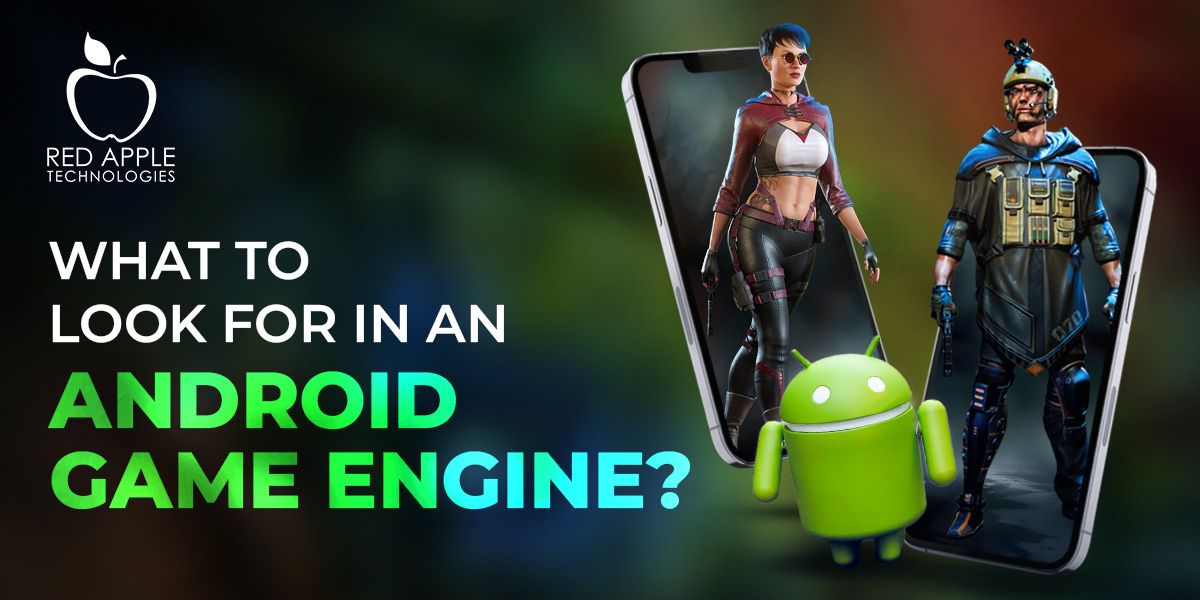
Developing mobile games for Android means designing, creating, and testing interactive experiences on phones and tablets. From writing code and crafting graphics to integrating sound, building user interfaces, and optimizing for varied hardware, mobile game development often demands a wide range of technical and creative skills.
Central to tackling this complexity are game engines, software frameworks that provide reusable components, rendering pipelines, physics systems, asset management, and deployment tools. By leveraging an engine, an Android game development company can focus on gameplay mechanics and storytelling rather than reinventing low-level systems. But with so many options available, how do you determine which engine suits your Android game project?
Android remains the world’s most widely used mobile operating system, powering over 72% of smartphones globally. As a result, demand for high-quality Android games has skyrocketed, creating a competitive market and an ever-growing ecosystem of tools tailored for mobile development.
Whether you’re an indie developer launching your first 2D puzzle game or a seasoned studio tackling a complex 3D action title, selecting the right game engine will profoundly affect your workflow, performance, budget, and final product quality. This article explores the essential criteria that define a great Android game engine and reviews the leading contenders in today’s market.
The Role of Game Engines in Android Development
A game engine abstracts common functionality, such as rendering, input, audio, physics, and more, into modular systems that you can plug into your project. For Android specifically, a strong engine must handle device fragmentation, offering ways to scale performance across entry-level phones and flagship tablets. It should provide robust profiling and optimization tools to fine-tune frame rates, memory usage, and battery consumption. Additionally, engine support for platform-specific features, like Google Play Services, in-app purchases, ads, and Android’s native UI components can accelerate development cycles. Ultimately, the right engine becomes the backbone of your project, streamlining workflows and minimizing technical hurdles.
Key Criteria for Evaluating Game Engines
When choosing a game engine for Android game development services, weigh these factors:
- Cross-Platform Support: Does the engine export to Android and other platforms (iOS, PC, Consoles)? Broad support maximizes the reach of your title.
- Performance and Optimization Tools: Look for integrated profilers, memory analyzers, and platform-specific optimizations to ensure smooth gameplay on diverse devices.
- Ease of Use and Learning Curve: Evaluate visual editors, drag-and-drop systems, scripting languages, and documentation. A gentle learning curve speeds up prototyping and iteration.
- Community and Ecosystem: Large user communities, forums, tutorials, and marketplace assets can greatly reduce development time by providing ready-made solutions.
- Licensing, Costs, and Revenue Sharing: Compare free tiers, subscription models, royalty requirements, and enterprise options to ensure long-term sustainability of your budget.
- Graphics and Rendering Capabilities: Check for support of modern rendering techniques (PBR, deferred shading, dynamic lighting) and mobile-optimized pipelines.
- Extensibility and Plugin Architecture: Engines that allow custom native code modules (C++, Java) make it easier to integrate third-party SDKs, analytics, ads, and unique platform features.
- Documentation and Technical Support: Comprehensive manuals, API references, and responsive support channels reduce roadblocks and keep development on schedule.
Overview of Leading Android Game Engines
Below are six of the most prominent game engines used in Android development, each with its own strengths, ideal use cases, and trade-offs.
Unity
Unity stands out as the de facto choice for mobile game development, powering a vast majority of Android games in app stores. Its intuitive editor, C# scripting, and component-based architecture accelerate prototyping and iteration. Unity’s asset store offers an extensive library of art packs, plugins, and sample projects, helping teams integrate features like multiplayer, ads, or analytics, without building everything from scratch.
- Pros:
- Mature ecosystem with vast community support
- Rich asset store and third-party integrations
- Built-in support for mobile platforms, AR/VR, and 2D/3D projects
- Cons:
- Licensing costs for Pro tiers and revenue thresholds
- Larger runtime size compared to lightweight engines
- Occasional engine updates can introduce breaking changes
Unreal Engine
Unreal Engine excels at delivering high-fidelity graphics and performance, thanks to its advanced rendering pipeline and C++ architecture. For every Android game development company targeting GPU-intensive titles, Unreal’s mobile optimizations, including dynamic scaling and console-level visual features, are significant assets. Blueprints, Unreal’s visual scripting system, allows designers to prototype game logic without deep programming knowledge.
- Pros:
- Industry-leading graphics quality and mobile-optimized shaders
- Visual scripting (Blueprints) lowers the barrier for non-programmers
- Source code access enables deep engine customization
- Cons:
- Steeper learning curve for C++ and engine architecture
- Larger build sizes and memory footprints
- Royalty model (5% on gross revenue above a certain threshold)
Godot
Godot has emerged as a popular open-source engine, lauded for its lightweight footprint and flexible scene system. With support for both 2D and 3D development, GDScript (a Python-like language), and optional C# or C++ modules, Godot appeals to solo developers and small studios. Its MIT license ensures there are no royalties or hidden fees, making it highly attractive for indie projects and academic use.
- Pros:
- Completely free and open-source with permissive licensing
- Easy-to-learn scene-based workflow ideal for 2D games
- Active community and rapidly growing plugin ecosystem
- Cons:
- 3D capabilities are still maturing compared to Unity or Unreal
- Fewer official tutorials and third-party assets
- A smaller marketplace means more custom work is required
Cocos Creator (Cocos2d-x)
Cocos Creator and its underlying framework, Cocos2d-x, power many lightweight mobile titles thanks to their efficient C++ core and JavaScript bindings. The engine’s focus on 2D performance and minimal overhead ensures snappy gameplay on low-end Android devices. Cocos Creator’s visual editor and component-based UI allow designers to quickly lay out scenes, animate sprites, and bind scripts.
- Pros:
- Highly optimized for low-end devices and 2D performance
- Free to use with permissive licensing
- Seamless integration of JavaScript and C++ for flexibility
- Cons:
- Primarily 2D-focused, limited 3D support
- Smaller community compared to Unity or Unreal
- Documentation can be sparse in certain advanced areas
GameMaker Studio 2
GameMaker Studio 2 is synonymous with 2D game development and has powered numerous hit indie games. Its drag-and-drop interface, combined with the GameMaker Language (GML), makes it approachable for beginners yet powerful enough for seasoned mobile game development companies. The engine’s Android export module gives teams an easy path to publish games on the Google Play Store.
- Pros:
- Rapid 2D prototyping with minimal coding
- Transparent pricing with no royalties on revenue
- Built-in editors for sprites, tilesets, and animations
- Cons:
- Limited 3D capabilities and advanced rendering
- Performance can lag on complex scenes without optimization
- Smaller third-party marketplace for plugins
Defold
Defold is a free, lightweight engine developed by King Digital that targets both 2D and simple 3D games. Its Lua scripting, live-coding features, and minimal runtime overhead make it ideal for teams focused on performance and fast iteration. Defold’s cloud build service and integrated version control further streamline collaborative workflows.
- Pros:
- Fast iteration with live-coding and small runtime
- Free and royalty-free with an active community
- Built-in support for analytics, ads, and extensions
- Cons:
- Less mature than larger engines in terms of the ecosystem
- Limited high-end 3D rendering and shader support
- Reliance on a cloud build service may not suit all teams
Choosing the Right Engine for Your Project
Selecting the optimal engine for your Android game hinges on aligning engine strengths with your project’s scope, team composition, and long-term goals. Consider these guiding questions:
- What genre and visual fidelity does your game demand? High-end 3D titles lean toward Unreal or Unity, whereas 2D puzzle or platformers fit Godot, Cocos, or GameMaker.
- How large is your team, and what’s their skill set? Visual scripting tools like Blueprints or drag-and-drop interfaces can accelerate development for mixed-skill teams.
- What is your budget and revenue model? Open-source engines eliminate license fees, while larger engines often command subscriptions or royalties.
- Do you need advanced platform integrations? Engines with robust plugin ecosystems simplify adding ads, analytics, multiplayer, or VR/AR features.
- How critical is performance across a range of devices? Lightweight engines excel on low-end hardware but may lack cutting-edge visuals.
By mapping your requirements against each engine’s feature set, you can narrow down to the solution that offers the best balance of speed, visual quality, and cost efficiency. Prototype early in your shortlisted engines to validate workflows, performance, and team comfort.
Conclusion
A great game engine for Android game development services does more than render sprites on screen; it shapes your entire production pipeline, influences performance on real-world devices, and determines how swiftly you can bring ideas to life. Unity and Unreal dominate when you need mature toolsets and top-tier graphics, while open-source or lightweight engines like Godot, Cocos, and Defold shine for indie teams and 2D projects.
GameMaker Studio remains a powerful ally for rapid prototyping and small-scale 2D games. By carefully weighing factors such as platform support, optimization tools, licensing costs, community resources, and your team’s expertise, you can select the engine that best aligns with your vision and technical constraints. As Android hardware continues to evolve, the ideal engine will not only meet today’s needs but also adapt alongside emerging trends in mobile gaming.
If you do not plan to do all the hard work, consult with Red Apple Technologies and hire game developers to create Android games for you. We have been in business since 2011 and have a massive catalog of successful projects. Check us out today!
Schedule a free consultation today!
To Have A Better Understanding On This Let us Answer The Following Questions
Do I need programming experience to use these engines?
Answer: While core programming skills benefit any engine, many offer visual scripting or drag-and-drop editors to lower the barrier. Unity supports C# but also has visual tools like Bolt. Unreal Engine’s Blueprints enable non-programmers to build complex logic. Engines like GameMaker and Godot provide simplified languages or node-based setups ideal for beginners.
What performance considerations should I keep in mind for Android devices?
Answer: Android devices vary widely in CPU, GPU, RAM, and battery capacity. Use built-in profilers and memory analyzers to identify bottlenecks in rendering, scripts, and asset loading. Optimize textures, reduce draw calls, and leverage adaptive quality settings. Choose engines with mobile-specific features such as dynamic resolution scaling and low-overhead runtimes.
Can I port my Android game to other platforms?
Answer: Most major engines offer cross-platform export to iOS, PC, consoles, and web. Unity and Unreal have robust multi-platform toolchains, while Godot, Cocos, and Defold support various targets through official modules or community plugins. Ensure early in development that platform-specific integrations (input, UI, services) are abstracted to simplify porting.
Are there built-in tools for monetization and analytics?
Answer: Yes. Unity integrates with AdMob, Unity Ads, and analytics dashboards. Unreal Engine offers plugins for common ad networks and telemetry solutions. Godot and Defold support third-party SDKs through modules or native code bindings. Many engines provide marketplace assets to simplify in-app purchases, banners, rewarded videos, and data tracking.
Can I integrate native Android features and SDKs?
Answer: Most engines allow native plugin development: Java/Kotlin for Android or C++ for cross-platform modules. Unity and Unreal have established workflows for writing and packaging native code. Godot provides Android plugin templates, and Defold supports native extensions via Android Archive (AAR). This flexibility lets you tap into platform-specific APIs like notifications, Google Play Services, and sensors.
Get Started
- End-to-End Game & App Development Services
- Flexible Business Models – Project Based or Dedicated Hiring
- 13+ Years of Industry Experience with Global Clientele
- Globally Recognized by Clutch, GoodFirms & DesignRush
Related Blogs
Discover more stories & insights that inspire
Southeast Asia has transformed from a cost-driven outsourcing destination into a serious production ecosystem for global game studios. Over the last decade, countries such as Singapore, Vietnam, Indonesia, and Malaysia...

KYC AML integration in iGaming is no longer a regulatory afterthought. It is the core infrastructure. For operators building or scaling regulated platforms, compliance architecture determines whether growth is smooth...

At some point, most gamers have said, just a few more minutes, only to discover that hours have passed without noticing. That isn’t a mere distraction; it’s a reflection of...

Hiring a game development company is rarely just about building a game. For startups, it determines whether an idea reaches the market before resources run out. For enterprises, it determines...
Choosing the best game development company is one of the most consequential decisions in a game’s lifecycle. The company you partner with will influence development cost, delivery timelines, technical stability,...

According to DataReportal, people are spending around 6 hours and 40 minutes on gaming every day. This indicates how video games have become engaging in recent times. Harnessing leading-edge technologies...
As the quality of gaming is refining with technological evolution, the cost of game development is also on the rise. Moreover, to develop a high-quality immersive game, hiring an in-house...
In game development, choosing the right development platform ensures the success of your game project. However, most enterprises experience difficulty choosing the right game engine for their game project. They...

Besides evolving the conventional gaming experience of users, the Metaverse is also presenting businesses with exciting opportunities in an evolving landscape of technology. According to the Morgan Stanley report, the...

Although casino game development is a profitable business option, challenges to safeguard users’ data, financial transactions, and game assets are also increasing for businesses of all sizes. As of now,...


 Book An Appointment
 WhatsApp